TREE - Case Study
Brief
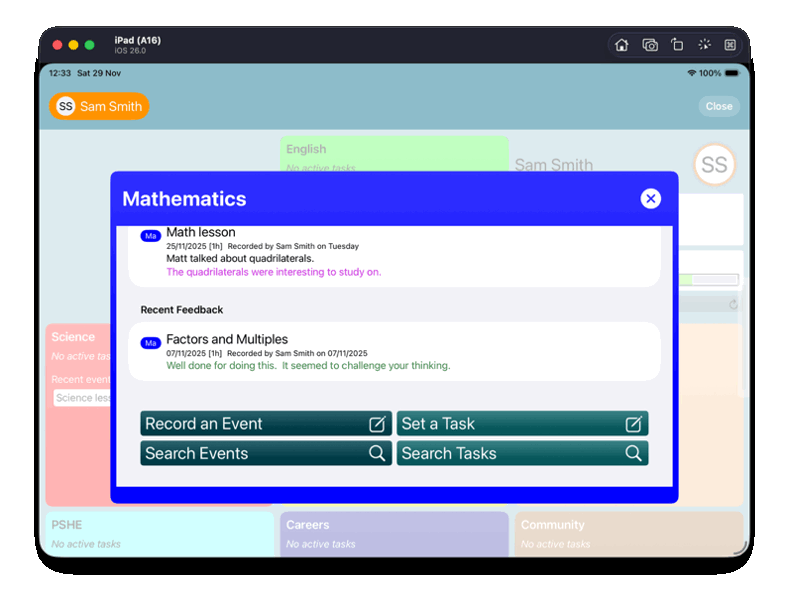
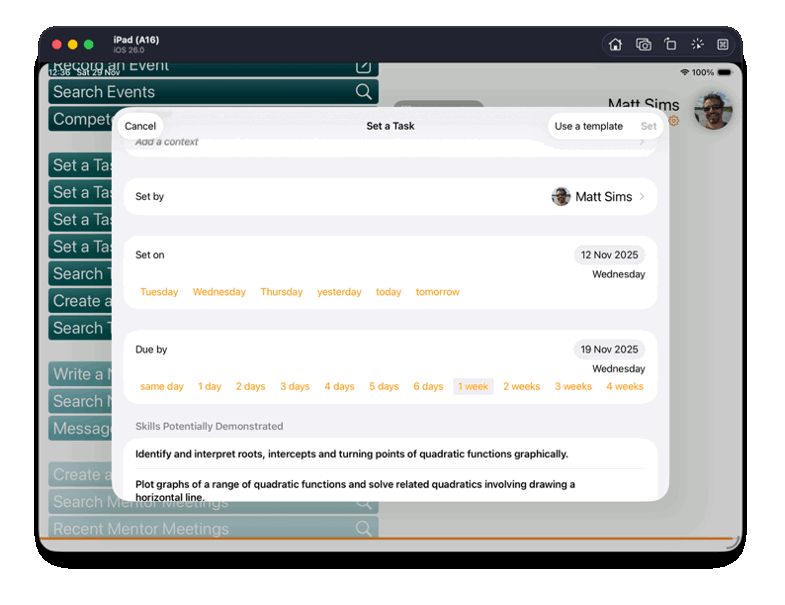
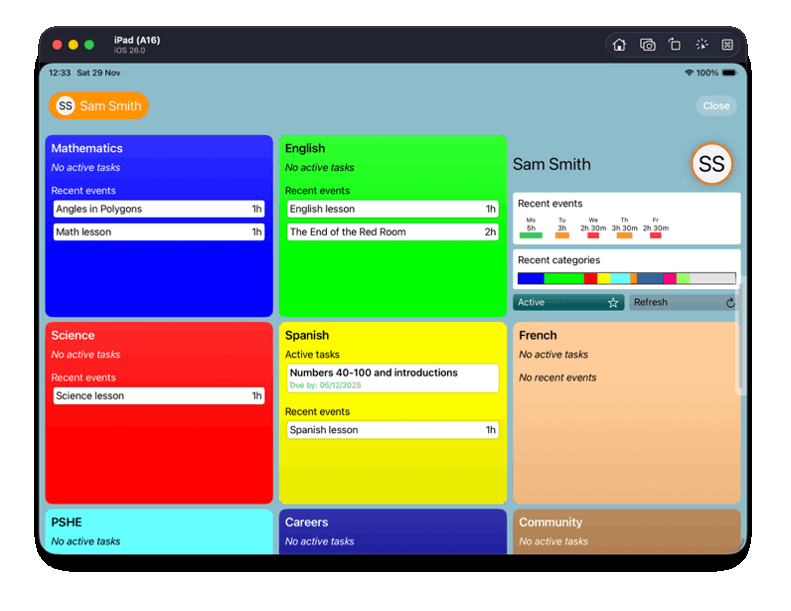
The Meadows Montessori High School required an iPad app that would enable teachers to set tasks for students, specify deadlines, link tasks to subject curricula, and provide feedback once work was completed. Students needed to be able to access assigned tasks, record the work they have completed, and reflect on their progress. Additional requirements included advanced data search functionality and the ability to export PDF reports for printing. Whilst being rich it functionality, the app needed to be intuitive to use and not feel like a burden for its users.
Solution
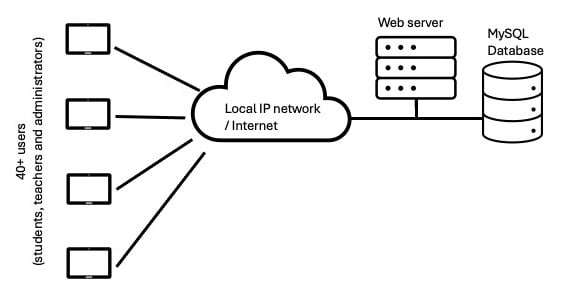
Due to the need for information to be shared between many users, but also for strict access control the following architecture was chosen.
Users would use iPads leased by the school with the TREE app installed using a Mobile Device Management (MDM) system. A server (initially Linux, later replaced with Windows) was put on the school's network in an existing server room. The apps on the iPads and the server exchanged JSON messages over HTTPS. All data was stored in a MySQL database queried using PHP scripts on the web server.
The app itself was written using Swift (a modern programming language ideal for iPad app development). Initially, the user interface (UI) was written using UIKit but was later replaced with SwiftUI so that more modern components could be incorporated. A salted-hash system was used for checking users' passwords.
Further development
During the first four years of use, the app was update to incorporate some new functionality including: the ability to record progress meetings between teachers and students; quicker access to the most common searches; and a facility for teachers to be able to use the app but experience what a student might see. Some views were updated to improve the users' experience (UX) following feedback. Some fun visuals and colour changes were also added to reflect seasonal events.